
This guide explains how to:
-
View and resend offers
-
Communicate with Flexxbuy
-
Collect and confirm payments
Step 1: View Application Results
-
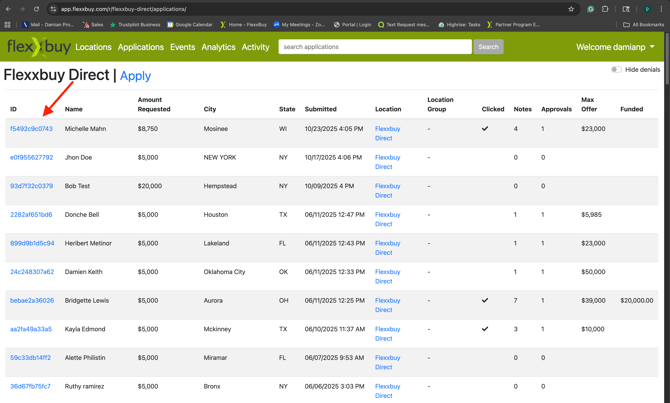
From the CSP dashboard, click Applications. On the dashboard you can view max offers, clicked offers, and funded amounts at a glance.
-
To view specific details, click on the applicant ID number in the left-hand column.
Step 2: View offers
-
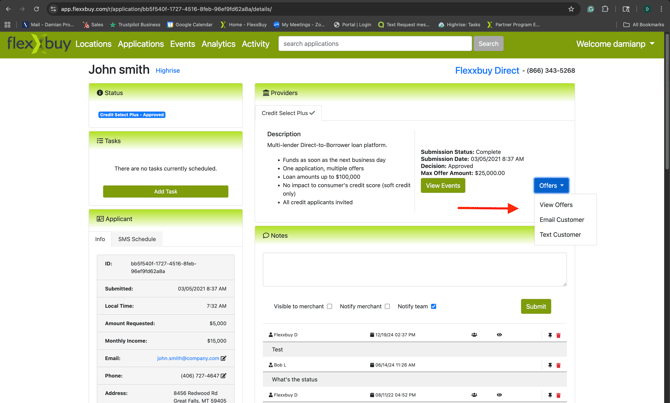
Click ID number to open the application record.
-
Under Providers>Credit Select Plus, click Offers>View Offers to see all available offers.
-
You can also resend the offers to the customer/applicant by clicking Email Customer or Text Customer.
Step 3: Communicate with Flexxbuy/Coach Financing
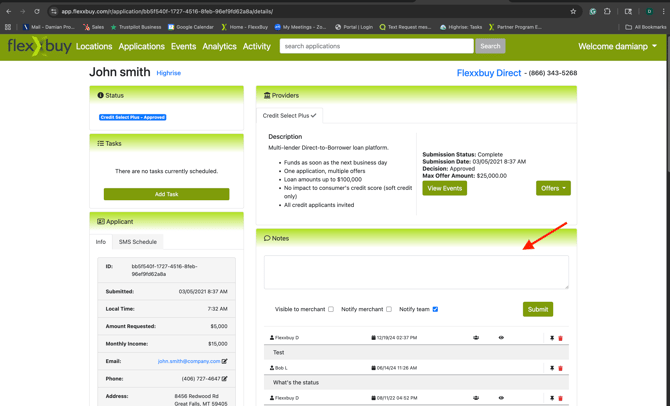
Flexxbuy will notify you of any status updates we receive from the lender or the applicant. You can find these messages in the "notes" section of the applicant page.
-
Go to the Notes section.
-
Enter any information you would like to communicate to our team and hit "Submit" to send.
-
All communication threads are stored in your CSP inbox for easy follow-up.
Step 4: Funding and Collection
When your customer is approved and funded, you will receive a notification with the person's name and the amount funded. Once you collect, please notify Flexxbuy of the amount received.
-
Go to the applicant's file in CSP.
-
Locate the funding notification to confirm.
-
Collect your payment directly from the customer/applicant.
-
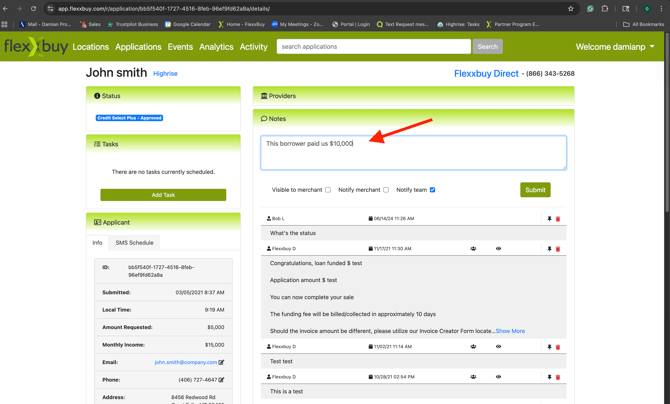
Leave a note on the file to notify Flexxbuy of the amount received.
Wrap-Up
🎉 You’re now fully set up to use Flexxbuy and Byzly!
You can send applications, monitor progress, resend offers, and collect payments — all from one connected system.
Next Step: Learn how to connect your existing credit card processing to the payment hub